

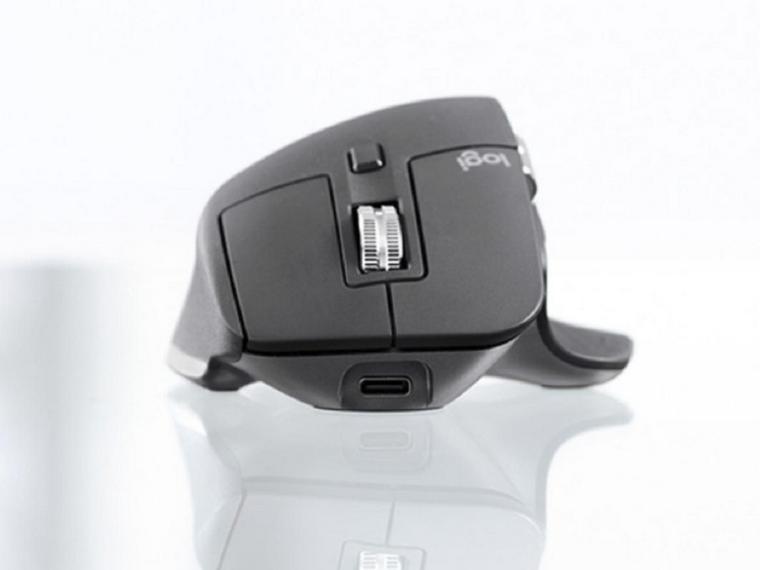
A button on the mouse’s bottom lets you switch among up to three devices with different Bluetooth or USB connections, and Logitech’s Flow technology even lets you move the mouse from one screen to another (from a Windows desktop to a Mac laptop, say) and copy and paste between systems.
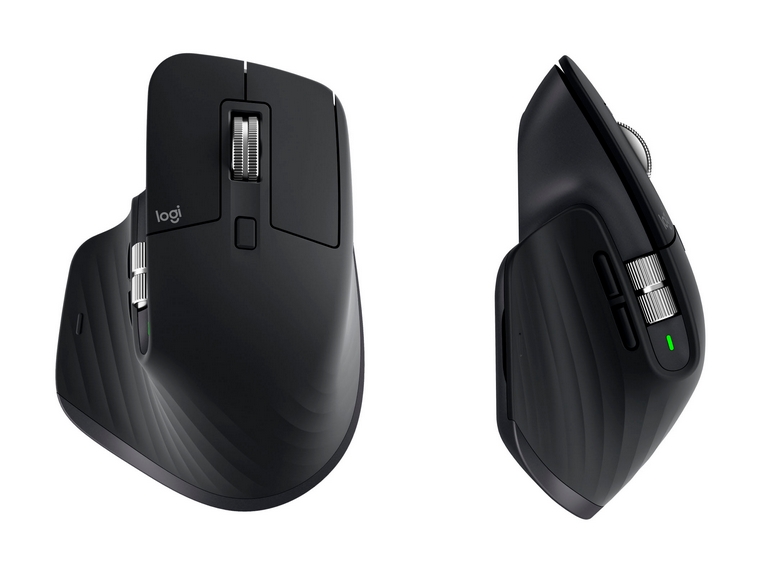
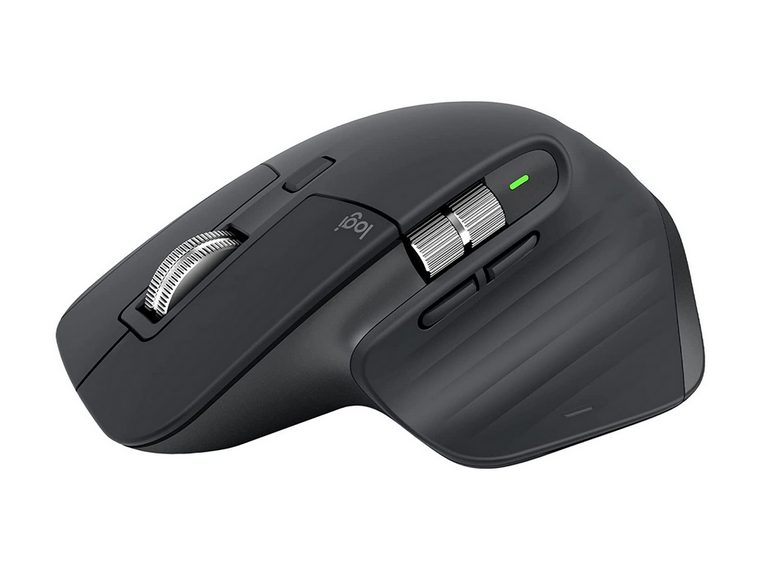
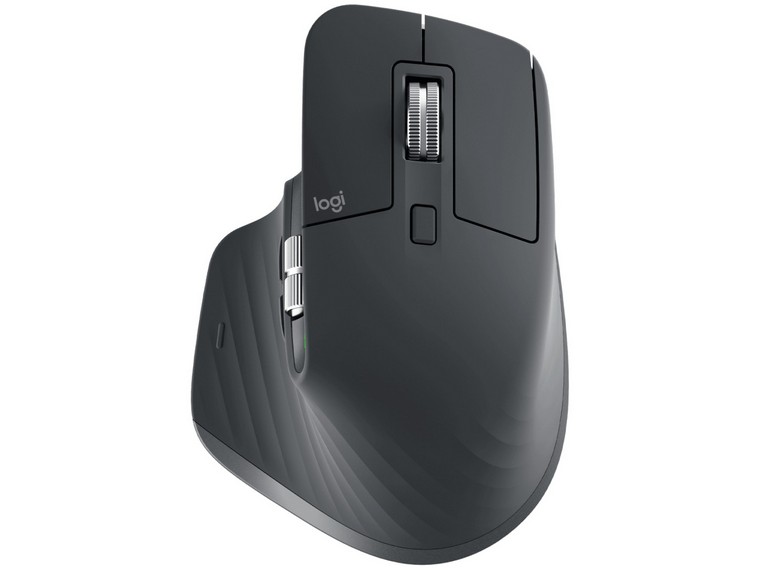
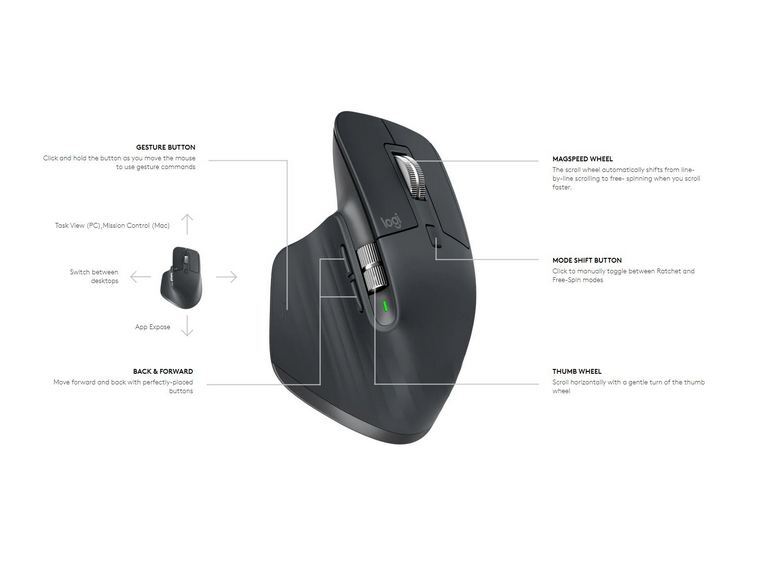
The MX Master 3S offers nearly limitless customization, letting you remap buttons or use the side scroller to move through browser tabs. The Logitech MX Master 3S has been designed and tested with true ergonomics in mind as it is hand sculptured for all day comfort. MX Master 3S has an ergonomic design which allows the user to work comfortably with its ergonomic silhouette crafted to support your palm and fingers. The optimally placed thumb controls are positioned for quick, intuitive access and fast navigation. The side scroll wheel follows the natural movement of the thumb for fluid and intuitive horizontal navigation
- Barely hear it – Quiet clicks Quiet Clicks deliver satisfying, soft tactile feedback with 90% less click noise
- 8,000 DPI any surface tracking sensor
- Scroll 1,000 lines/second
- Upgrade your workflow
- Easy switch to work between devices and operating systems,
- 7 customisable buttons
- Set-app specific customisations
- Optimise nearly every action of your workflow
- Set tracking speed in Logi Options+
- Instant connection
- Charge quickly
- 70 days on full charge; 3 hours on 1 minute of charge
- USB Type C charging
- Bluetooth Low energy wireless connection with Logi Bolt USB Receiver included
- Multi-OS compatibility
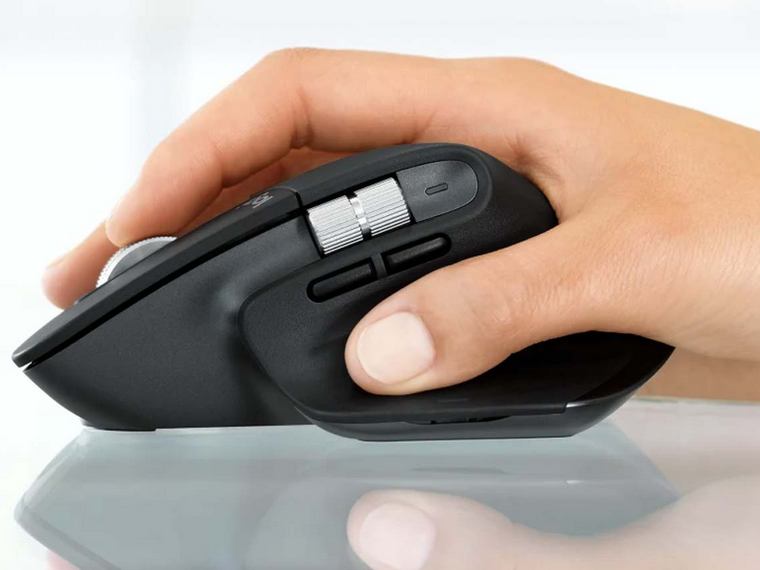
- True ergonomics with hand sculptured all day comfort
- Ergonomic design allows to work comfortably with ergonomic silhouette crafted to support your palm and fingers
- Optimally placed thumb controls are positioned for quick, intuitive access and fast navigation
- The side scroll wheel follows the natural movement of the thumb for fluid and intuitive horizontal navigation
- MX Master 3S includes certified post-consumer recycled plastic —27% for Graphite; Responsible packaging; Certified Carbon Neutral
- MagSpeed electromagnetic scroll wheel for a higher performance experience
- MagSpeed Electromagnetic scolling is precise enough to stop on a pixel and quick enough to scoll 1,000 lines/second
| Brand | |
|---|---|
| Accessory Type | |
| Mouse Options | |
| Dexterity | |
| Compatibility | |
| Connectivity | |
| Colour | |
| Cursor Speed (Mice DPI) | |
| Operational Distance | |
| Sensor Type | |
| Mouse Specifications | Button – Left Click, Button – Right Click, Programmable with common shortcut keys, Scroll Wheel – Middle Click, 7 Buttons, Pairable to more than 1 device |
| Product Weight | |
| Working Time | |
| Operating Systems | |
| Warranty (Years) | |
| Height (mm) | |
| Width (mm) | |
| Depth (mm) |
Logitech MX Master 3S Mouse
Meet MX Master 3S – an iconic ergonomic mouse that lest you feel every moment of your workflow with even more precision, tactility, and performance, thanks to Quiet Clicks and an 8,000 DPI track-on-glass sensor.
Logitech MX Master 3S is a truly benchmark-setting ergonomic office mouse that feels natural and ultra-comfortable within seconds of resting your hand on it.
The MX Master 3S is outfitted with an accurate sensor that has next-gen precision and responsiveness. The Logitech MX Master 3S has been designed and tested with true ergonomics in mind as it is hand sculptured for all day comfort. MX Master 3S has an ergonomic design which allows the user to work comfortably with its ergonomic silhouette crafted to support your palm and fingers. The optimally placed thumb controls are positioned for quick, intuitive access and fast navigation. The side scroll wheel follows the natural movement of the thumb for fluid and intuitive horizontal navigation.
A button on the mouse’s bottom lets you switch among up to three devices with different Bluetooth or USB connections, and Logitech’s Flow technology even lets you move the mouse from one screen to another (from a Windows desktop to a Mac laptop, say) and copy and paste between systems.
The MX Master 3S offers nearly limitless customization, letting you remap buttons or use the side scroller to move through browser tabs. The Logitech MX Master 3S has been designed and tested with true ergonomics in mind as it is hand sculptured for all day comfort. MX Master 3S has an ergonomic design which allows the user to work comfortably with its ergonomic silhouette crafted to support your palm and fingers. The optimally placed thumb controls are positioned for quick, intuitive access and fast navigation. The side scroll wheel follows the natural movement of the thumb for fluid and intuitive horizontal navigation
- Barely hear it – Quiet clicks Quiet Clicks deliver satisfying, soft tactile feedback with 90% less click noise
- 8,000 DPI any surface tracking sensor
- Scroll 1,000 lines/second
- Upgrade your workflow
- Easy switch to work between devices and operating systems,
- 7 customisable buttons
- Set-app specific customisations
- Optimise nearly every action of your workflow
- Set tracking speed in Logi Options+
- Instant connection
- Charge quickly
- 70 days on full charge; 3 hours on 1 minute of charge
- USB Type C charging
- Bluetooth Low energy wireless connection with Logi Bolt USB Receiver included
- Multi-OS compatibility
- True ergonomics with hand sculptured all day comfort
- Ergonomic design allows to work comfortably with ergonomic silhouette crafted to support your palm and fingers
- Optimally placed thumb controls are positioned for quick, intuitive access and fast navigation
- The side scroll wheel follows the natural movement of the thumb for fluid and intuitive horizontal navigation
- MX Master 3S includes certified post-consumer recycled plastic —27% for Graphite; Responsible packaging; Certified Carbon Neutral
- MagSpeed electromagnetic scroll wheel for a higher performance experience
- MagSpeed Electromagnetic scolling is precise enough to stop on a pixel and quick enough to scoll 1,000 lines/second
| Brand | |
|---|---|
| Accessory Type | |
| Mouse Options | |
| Dexterity | |
| Compatibility | |
| Connectivity | |
| Colour | |
| Cursor Speed (Mice DPI) | |
| Operational Distance | |
| Sensor Type | |
| Mouse Specifications | Button – Left Click, Button – Right Click, Programmable with common shortcut keys, Scroll Wheel – Middle Click, 7 Buttons, Pairable to more than 1 device |
| Product Weight | |
| Working Time | |
| Operating Systems | |
| Warranty (Years) | |
| Height (mm) | |
| Width (mm) | |
| Depth (mm) |